YOUR NEXT CUSTOMER IS ASKING AI
Make sure AIrecommendsyour product.
Simulate users using ChatGPT, Claude, Gemini, and Grok. Find out why agents pick your competitors over you and what to improve on your website.
Your first test is free. No credit card required.
Inside your reportSee whether AI finds,
See whether AI finds,
trusts, and chooses you.
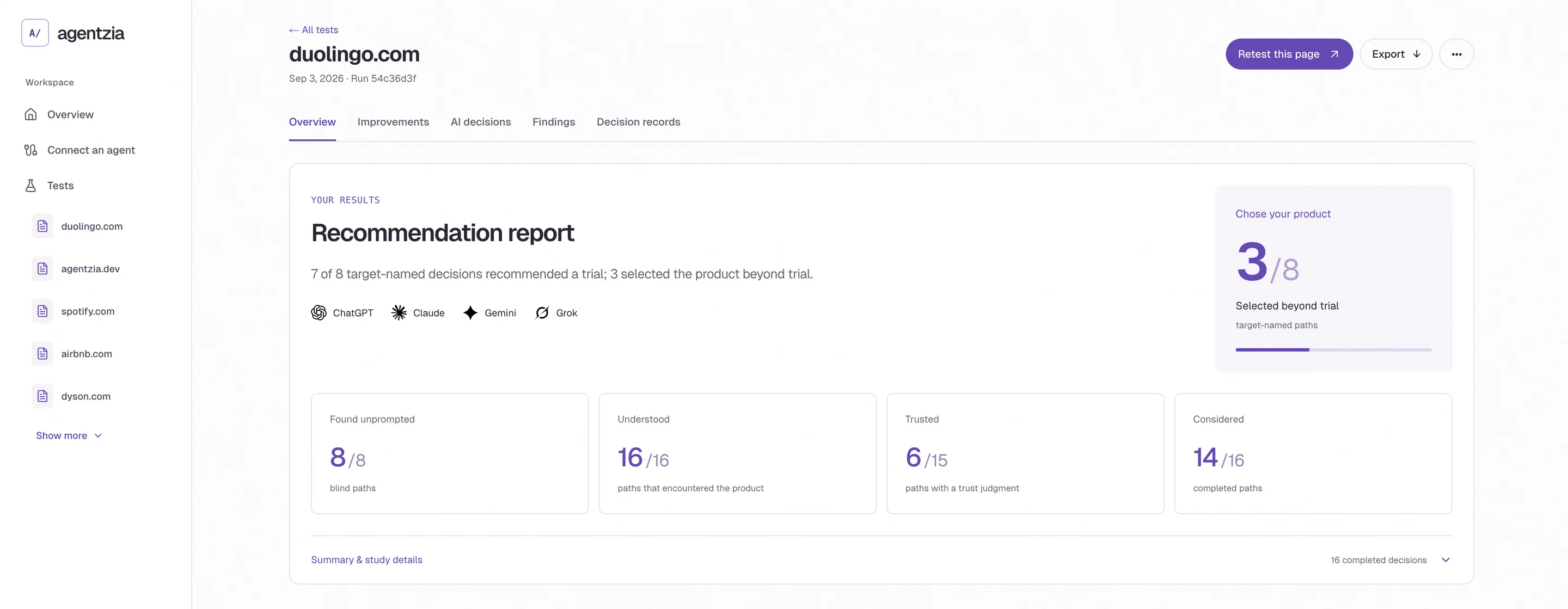
How does AI decide to recommend you?
A practical step in generative engine optimization (GEO): test the questions buyers ask before they choose.
In your report
See an example The decisions, the evidence behind them, and the website changes to make next.

Agentzia MCPConnect your coding
Connect your coding
agent via MCP.
Find an existing report, test a public page or supplied copy, and get evidence for your next edit—all from Codex, Claude Code or Cursor. Improve your page, then retest.
Connect my coding agent Codex···
You
Test my landing page with Agentzia.
Use the report for the next edit.
AgentziaMCP
ChatGPT Claude
 Gemini
 Grok
GrokReturned to CodexRecommendation report
Decisions, evidence, and next edits.
Illustrative MCP workflow
Explore
the research.


Before a launchAfter a page changeWhile building with your agentWhen new models and agents launch
Improve your page.
Test the next version.
Start free. Pro includes 10 complete tests each month for $99.